Bio Inc. Total Defense Campaign Editor & Steam Workshop
Design custom body-stage missions, tune fair pathogen pressure, and share them through Steam Workshop.
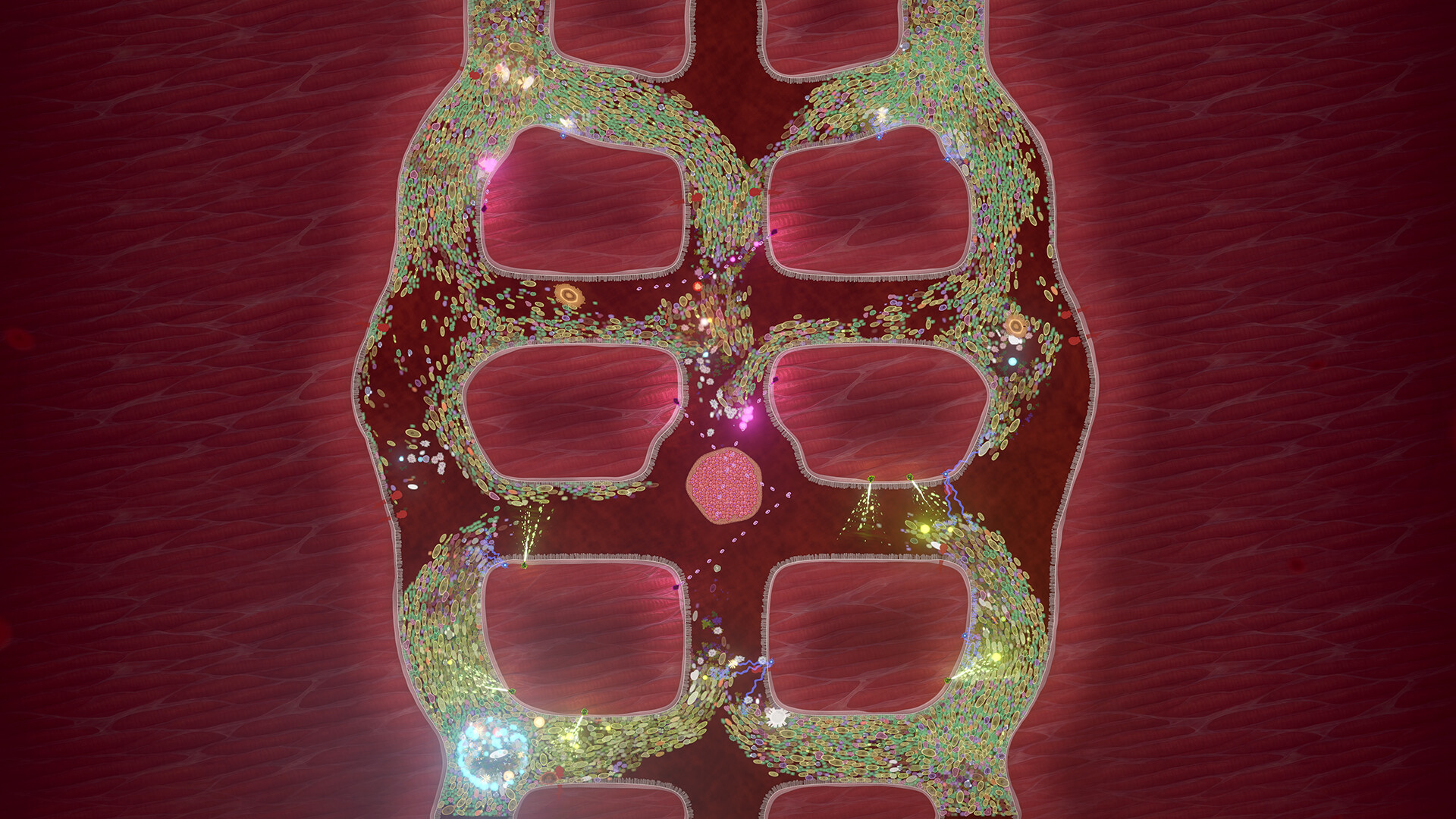
Bio Inc. Total Defense ships with a campaign / level editor and full Steam Workshop support so players can build custom immune-system missions and share them with the community. DryGin Studios’ single-player incremental tower defense already covers twelve unique levels, three bonus stages, and Hardcore Mode — the editor exists for creators who want new vessel layouts, organ targets, and spawn curves beyond the campaign. This guide explains how to approach mission design, what the demo allows, how to test fairly, and how to publish without creating unwinnable spam maps.
If you are still learning placement jobs, read How to Play first. Campaign route context lives in the Stage Walkthrough. Day-one unlock order is in Getting Started.
Editor vs Workshop vs demo
| Feature | Full game | Demo (app 5309850) |
|---|---|---|
| Level / campaign editor | Yes | Yes |
| Limited defenses / upgrade tiers in playtests | Full unlock pool (as owned) | Restricted |
| Steam Workshop sharing & community missions | Yes | Not included |
Create and iterate locally in either build. Publish and browse community missions from the full Steam release (app 5164110). Confirm hardware comfort on the system requirements page before long editor sessions.
Design goals that feel like Bio Inc.
Good custom missions respect the fantasy: continuous spawn, vessel-based placement, organ fail conditions, and incremental growth — not pause-wave classic TD.
Do:
- Define clear entrances and merges so hunters have honest jobs.
- Protect a readable organ or tissue target with a visible health fail state.
- Scale density in segments (hundreds → thousands → extreme) instead of spawning 100k on frame one unless you are making a meme stress test labeled as such.
- Gate recommended defenses thoughtfully. A mission that assumes antibody cannons should say so in the Workshop description.
- Leave space for slowers and blasts; pure open fields make mucus and tissue walls feel useless.
Avoid:
- Hidden one-pixel paths that only the author knows.
- Instant organ death timers with no placement window.
- Forcing every one of the eleven defenses when three jobs would teach a cleaner lesson.
- Copying campaign geometry without changing spawn intent — players already have capillary through heart in the stage walkthrough.
Building a first custom mission
- Pick a teaching goal. Example: “two-entrance artery drill” or “lung split-attention test.” Write the goal in your Workshop blurb later.
- Block vessel flow before decorating. If the path is wrong, art will not save the map.
- Place spawn mouths where players can scout them in the first seconds — remember, spawn starts immediately.
- Set organ health so skilled play with a hunter–slower core can win after a few incremental attempts, matching the main game’s retry culture.
- Playtest with a weak loadout that mirrors early Bio Point totals, then again with a mid-game loadout. If only maxed trees clear it, label the mission late-game.
- Tune septic shock expectations. If the map is unwinnable without perfect ability timing on attempt one, soften the surge or extend the teach window.
Cross-check which defenses you assume against the defenses tier list so your “recommended loadout” matches how players actually spend Research Points.
Balancing pathogen pressure
Think in the same jobs players use:
- Hunter checks — packs that move through open vessels.
- Slower checks — dense merges that leak without mucus or tissue walls.
- Blast checks — timed clumps that punish missing choke coverage.
A great Workshop map rotates those checks. A poor map only spams speed or only spams HP sponges. Use stomach, muscle, or vessel themes if you want variety beyond the campaign’s capillary → heart route, but keep fail conditions readable.
When you want extreme 100k-style pressure, mark it Hardcore-inspired in the description and expect players to arrive with deep Bio Point trees and tuned health factors (ability charges, Chain Reaction, Last Stand, and similar perks).
Publishing to Steam Workshop
From the full game’s Workshop flow:
- Finish local playtests with at least one friend or a second Steam account if possible.
- Write a short description: organ theme, recommended defenses, expected Bio Point strength, and whether continuous spawn surges spike late.
- Add a clear preview image that shows the vessel layout (avoid spoiling every trap if discovery is the point — but never hide the fail condition).
- Tag difficulty honestly. “Beginner capillary trainer” and “heart-plus density” should not share a vague “normal” tag.
- Update after balance patches listed under Updates and Launch Notes — campaign patches can change defense feel inside your mission even if your JSON layout did not change.
Subscribe to community missions the same way you would any Steam Workshop title: subscribe, wait for download, launch from the in-game Workshop browser.
Creator checklist
- Teaching goal written before geometry
- Entrances scoutable at stage start
- Organ fail state visible
- Weak-loadout and mid-loadout playtests done
- Recommended defenses listed
- Difficulty tags match density
- Description notes demo players cannot access community Workshop content
Keep learning the base game
Editor skill improves when your campaign fundamentals are sharp. Revisit How to Play when playtesters complain that slowers feel useless — that usually means your merges are wrong. Use upgrade builds to suggest fair Bio Point ranges in your Workshop text. Browse the Guides Hub for the full tutorial set, and keep official Discord / store links from the wiki links page handy when you need playtesters.
Custom content is how Bio Inc. Total Defense stays fresh after the twelve unique levels and bonus stages. Build missions that teach continuous-spawn placement, respect incremental retries, and share them cleanly through Steam Workshop.
Frequently Asked Questions
Quick answers to the most common questions.
Does the free demo include the level editor?
Yes. The demo includes the level editor with limited defenses and upgrade tiers. Steam Workshop community missions and sharing require the full game.
Can I share maps without buying the full release?
Workshop sharing and browsing community missions are full-game features. Use the demo to learn the editor locally, then publish from the release build.
What makes a fair custom mission?
Scoutable entrances, a readable organ fail state, continuous-spawn pressure that scales in segments, and a recommended defense list. Avoid hidden paths and instant-death openers.
Should my map require all eleven defenses?
Usually no. Design around hunter, slower, and blast jobs. Require exotic unlocks only when the Workshop description clearly marks a late-game loadout.
Where do I learn placement before designing maps?
Read How to Play for jobs and placement, Getting Started for unlock order, and the Stage Walkthrough for how official organs teach density.